
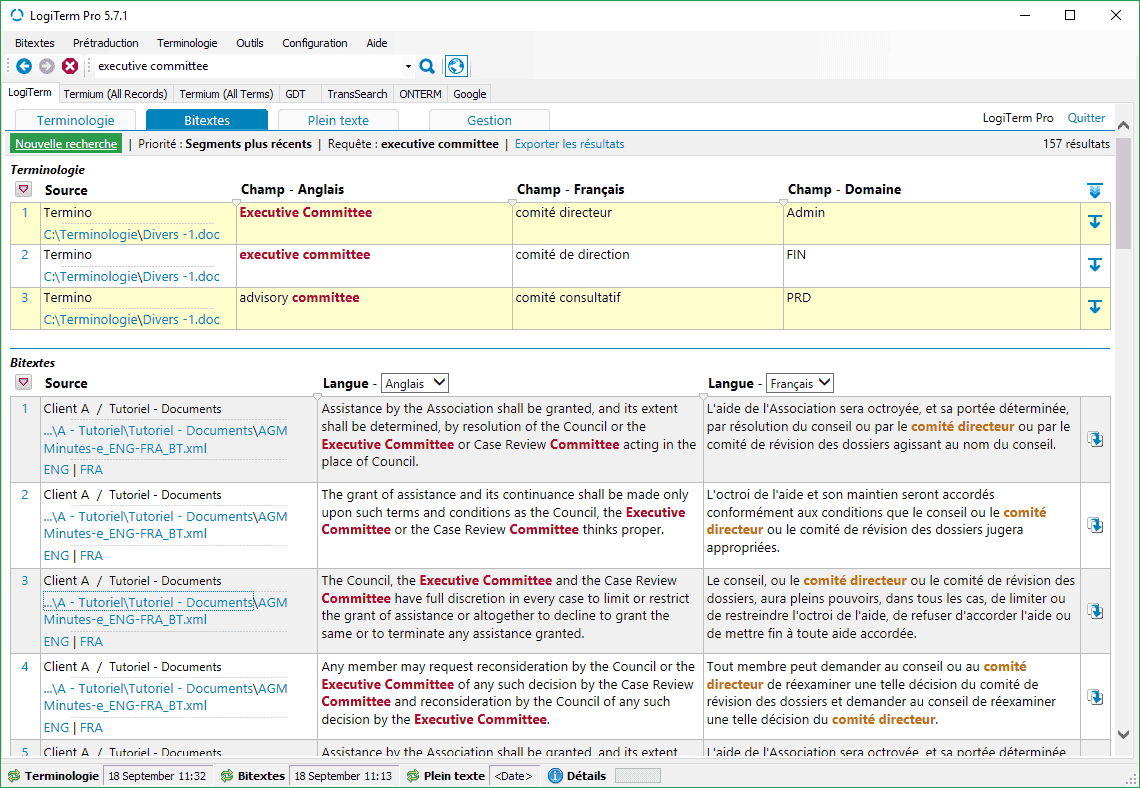
LogiTerm offers a range of easy-to-use features perfectly tailored to industry needs, starting with its search interface.
LogiTerm lets translators, terminologists, professional writers and coordinators increase their productivity by at least 30% while improving the quality of their work. LogiTerm offers a wide range of user-friendly functions that are perfectly tailored to actual industry needs—starting with its search interface.
You’ll find everything you need: Terminology, Bitexts and Full Text databases, not to mention instant access to 40 of the world’s most popular terminology sources. Once you have launched a search in one database, you can repeat the search in another database with a single click. Don’t waste any more time cutting and pasting search terms and continuously toggling between windows.
The Full Text database alone gives LogiTerm a huge advantage over other computer-aided translation tools. It’s your own personal Google, allowing you to search through all your documents, no matter the format (Word, Excel, PowerPoint, PDF, HTML, XML, etc.). Its two filtering levels allow you to index only documents that are most useful to you based on your preset criteria. What’s more, you can use LogiTerm’s References database to build a Wikipedia-style knowledge bank with client guidelines, style guides, collaborator contact information and more.
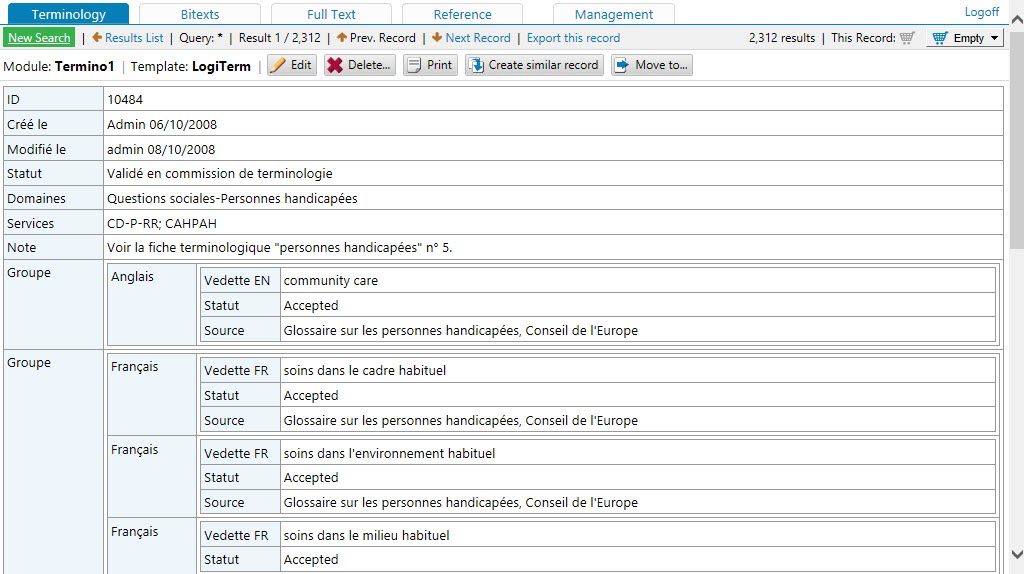
With LogiTerm Web, it’s easy to share the search interface across your organization over your company’s intranet and with external collaborators over the Internet. No matter how many licences you own, you can create an unlimited number of user groups and customize access privileges. Supplement LogiTerm Web with the Web Extension Module and get an unlimited number of licences that can access the search interface in LogiTerm Web.
LogiTerm‘s alignment function allows you to create your own bitexts, which you can then index in LogiTerm and use to pretranslate documents. The program can process over 100 file formats, including PDF. Has a multilingual website caught your eye? Save and align web pages from the site, then immediately use the resulting bitexts for pretranslation.
The LogiTerm translation environment is always MS Word, no matter what type of file you’re translating. For example, LogiTerm allows you to translate PowerPoint and Excel documents in MS Word, then automatically insert the translation back into the original document with the reinsert translation tool.
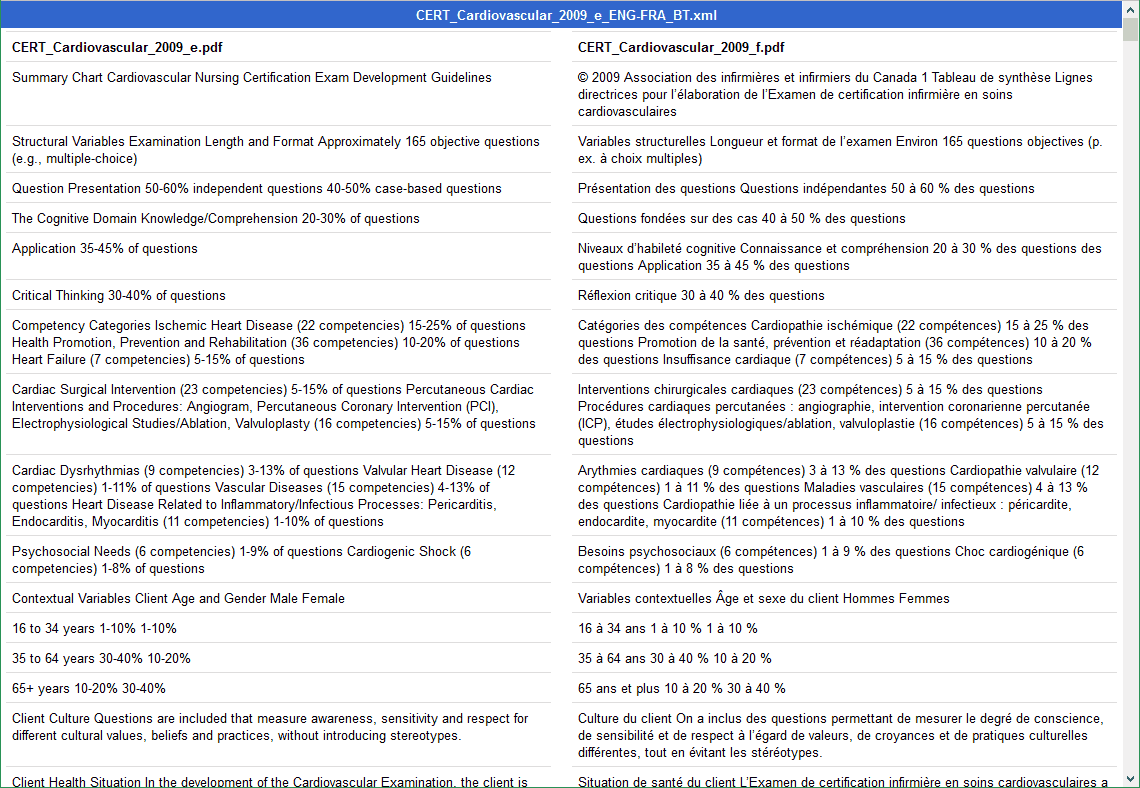
LogiTerm lets you align a wide variety of file types, including PDF, and immediately use the resulting bitexts as references when pretranslating documents. Only need to align part of a web page? Use the align text portions tool. Simply drag and drop the text you wish to align into the boxes that correspond to your language pair.
When you search for a term in the bitexts database, LogiTerm will highlight its target-language equivalent in the search results.
Convert any file format into plain text. You can also merge multiple documents to create a single file. Did a client send you a file format you don’t have the software to open? Deformat it!
Import or export translation memories in TMX or bitext format and import or export glossaries from Excel, MS Word and more.
Customize access privileges for different accounts and user groups.
LogiTerm is compatible with over 100 file types, including PDF, Word, Excel, PowerPoint, HTML and XML.
LoglTerm supports any language covered by the Unicode standard.
Licences for LogiTerm Web are not assigned to individual computers, but rather to users logged in to the server. In other words, you can own 10 licences and install LogiTerm Web on 100 workstations. However, only 10 people will be able to use the software at the same time.
Remplissez le formulaire ci-dessous, et nous vous contacterons dans les plus brefs délais.