BridgeTerm Web reduces the workload of translation coordinators by accelerating request preparation and assignment to in-house and freelance translators.
BridgeTerm Web is a web interface that does not need to be installed on your workstation. You can host BridgeTerm Web on a closed network installed on your own server, or have it hosted on Terminotix’s servers or a server provided by a hosting service such as Microsoft Azure.
Web portal
The secure BridgeTerm portal can be used by your clients, whether internal or external, to submit documents. It supports single sign-on, meaning that requesters within an organization can submit requests without having to log in a second time. BridgeTerm Web even automatically adds the requestor’s contact information to the request.
Automated email notifications
BridgeTerm Web automates email notifications. As soon as you assign a task to a collaborator on your team, or to an external partner such as a freelancer or translation agency, they will receive an email notification with information on the project. When a contact makes a request on behalf of a client, they will be sent an email confirming their submission, and your team will receive an email notifying you that a new request has come in.
Sorting
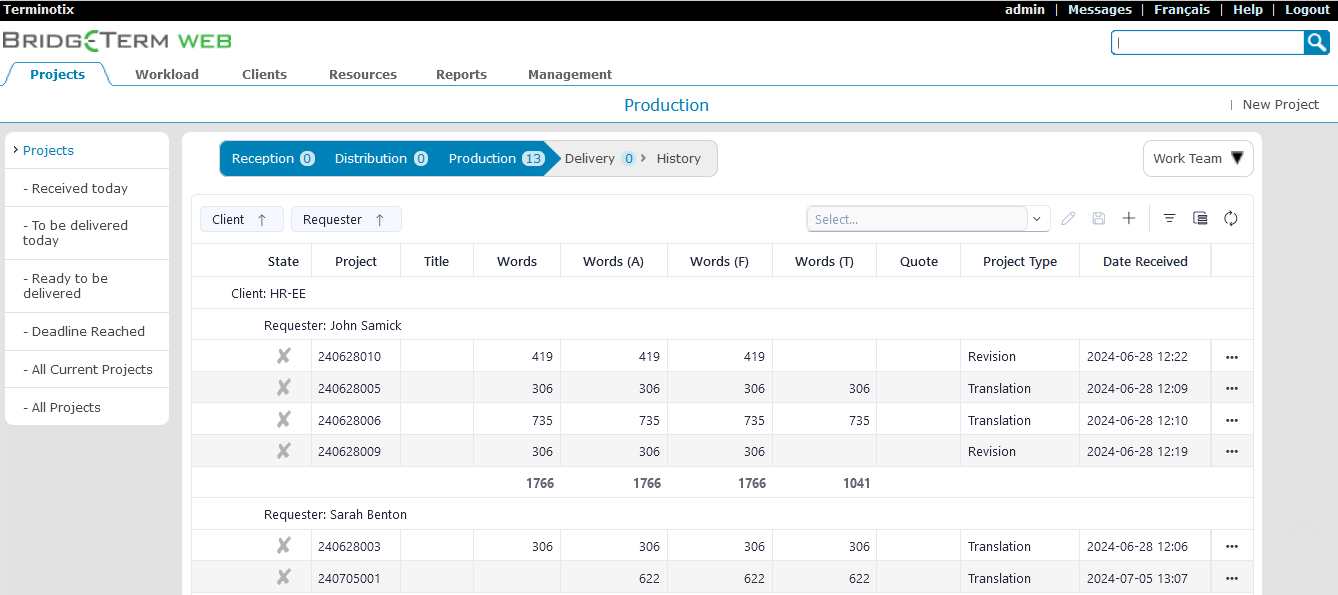
Customize your interface at each step to sort projects and find what you’re looking for faster. Use powerful sorting functions to quickly organize your requests and use search to locate projects rapidly.
Pretranslation
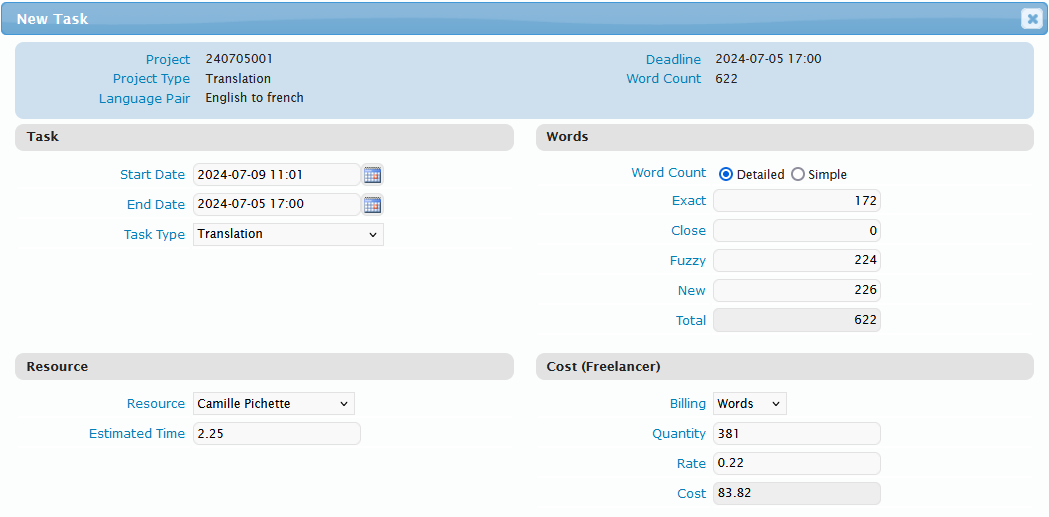
Pretranslation engines like LogiTerm and memoQ can be fully integrated with BridgeTerm. You can even apply weighted rates in accordance with the match level (exact, near, fuzzy and new). This approach increases the accuracy of estimates and boosts productivity.
Team management
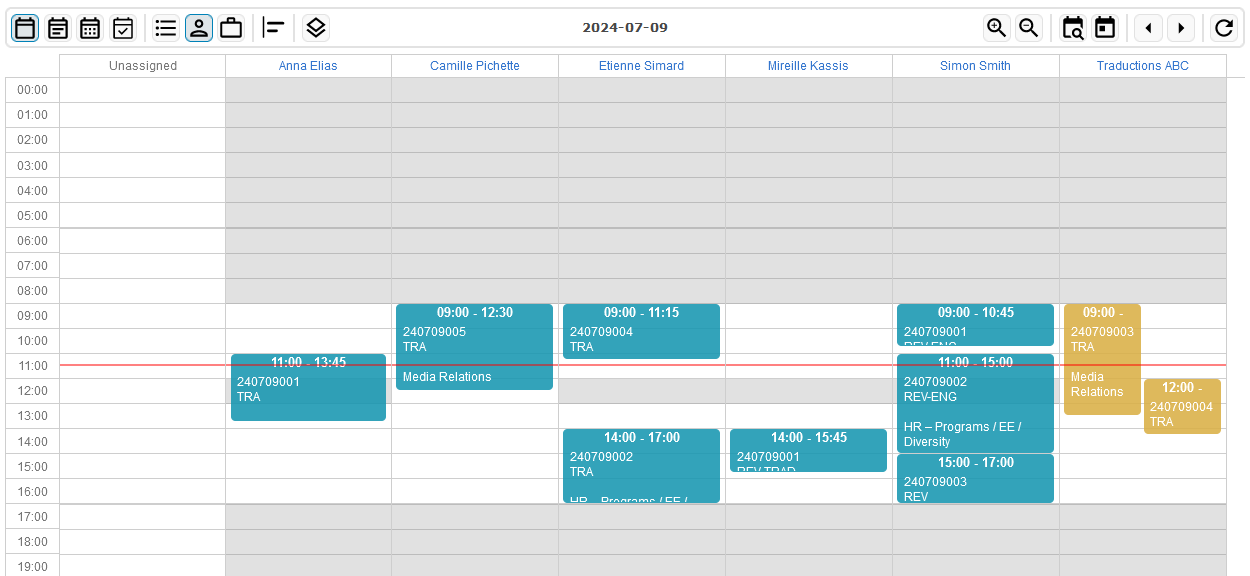
BridgeTerm Web helps you manage your team. When you assign a project, the program automatically estimates how long it will take to complete. You can also see the workloads of all your team members at a glance and assign tasks accordingly.
Invoicing
Do you send requests outside your organization? The invoices menu contains all tasks completed by each external collaborator and the associated costs. It can be sorted by date, invoice or payment to help you keep on top of your invoicing.
Metrics
With BridgeTerm Web, you can utilize production data to work smarter. Just enter the speed and rates for each of your team members for translation, revision and proofreading in order to calculate delivery times and production costs.
Matches
At a glance, you can view match data for documents pretranslated with a LogiTerm or memoQ pretranslation engine and/or
neural engines such as Systran.
Filters
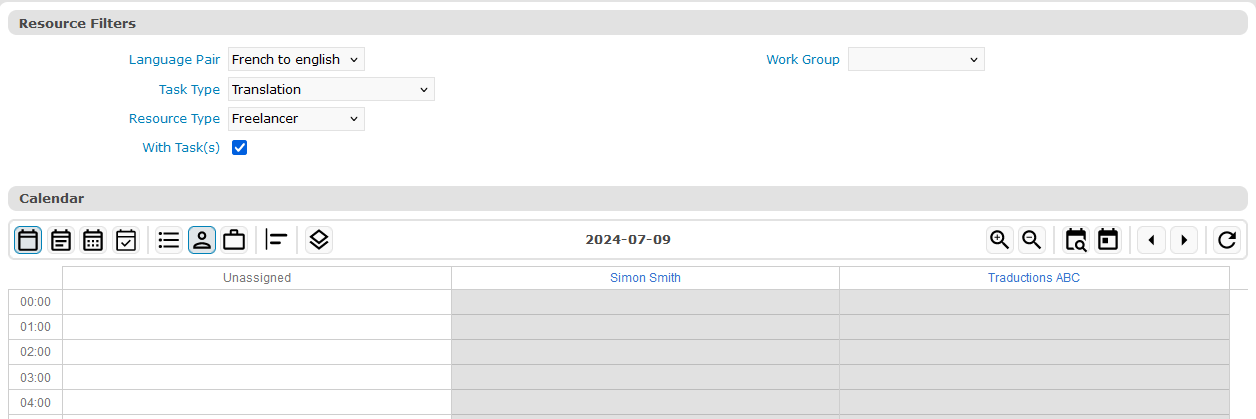
When assigning work, you can filter the list of your collaborators by language, task type, work group, etc.
Interactive workload calendar
BridgeTerm Web lets you set the calendar view to group tasks by project to see all collaborators assigned to a project. Alternatively, it can be set to group by collaborator to see their tasks individually, check their availability and take note of holidays and time off.
Workflows
Use workflows to create task list templates and speed up the assignment of tasks. Workflows enable you to automate tasks and lighten your workload.
The pretranslation task can be automated by integrating your LogiTerm or memoQ pretranslation engine and/or a neural engine (Systran, etc.) or AI.
LogiTerm Web integration offers an archiving function that allows you to automatically create a bitext from a source document sent by the client and the target document as soon as it is translated or revised.
Automated delivery lets you send the completed document to the client without any human intervention.
History
A change history function allows you to track changes to projects, including which user made the change and when.
Detailed reports
The reports section offers a range of options for generating customized reports on the productivity of your collaborators over a specific time period, the number of words translated per client or cost centre, and more.
Invoice generation and tracking
The system lets you generate invoices automatically based on preset rates or costs and send them to your clients from the BridgeTerm Web interface. Use the invoices section to track invoices to send, approve, or hold until the next invoicing period.
Automated warnings
You can be notified automatically when projects
are late or need to be delivered during the day.
User privilege management
BridgeTerm Web allows you to customize which users can access various sections of the interface.
Email templates
Use email templates for acknowledgements of receipt, sending estimates, providing feedback, etc., saving you from typing out the same messages over and over.
Task sequence dashboard
At a glance, see how many projects are ongoing and their status: reception, distribution, production, delivery, approval or invoicing.
Automatic file renaming
BridgeTerm Web can automatically modify file names upon receipt or delivery by inserting the following variables: request number, client code, source language code, target language code and reference number.