Full-service translation assistance software for organizations and agencies

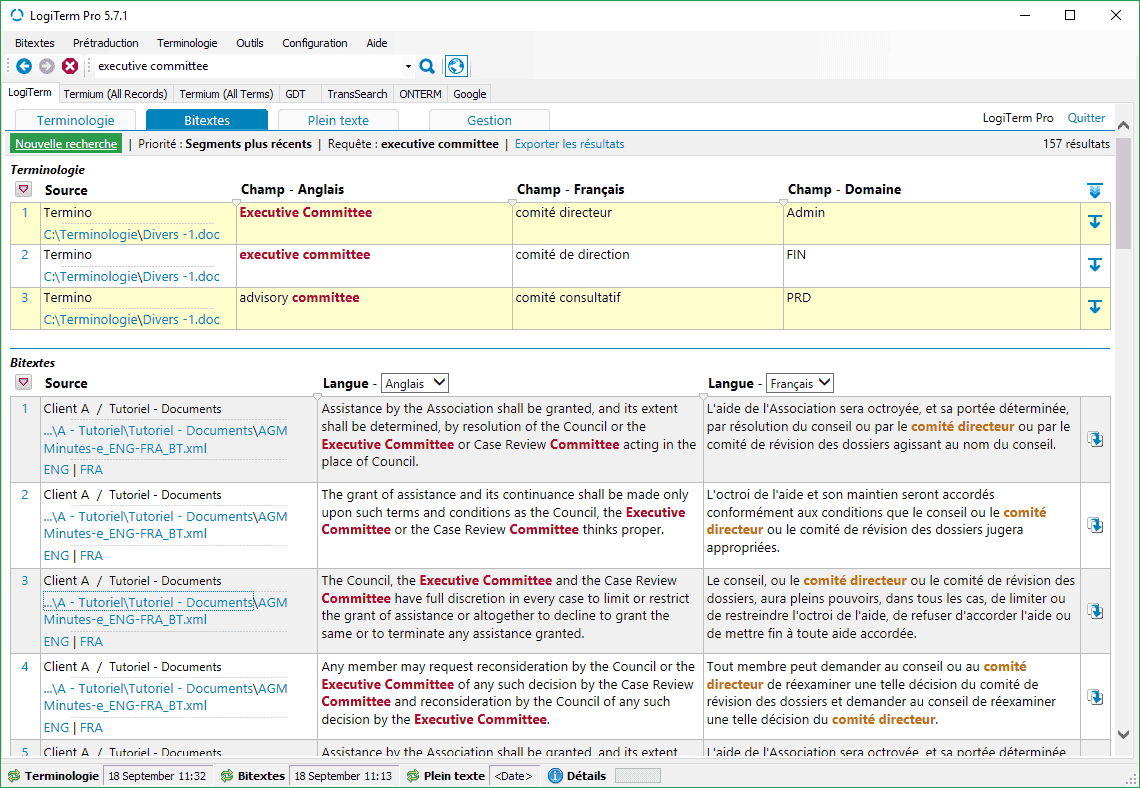
LogiTerm offers a range of easy-to-use features perfectly tailored to industry needs, starting with its search interface.

Contact us

For more details
or to buy,
contact us at
sales@terminotix.com.

LogiTerm

LogiTerm lets translators, terminologists, professional writers and coordinators increase their productivity by at least 30% while improving the quality of their work. LogiTerm offers a wide range of user-friendly functions that are perfectly tailored to actual industry needs—starting with its search interface. You’ll find everything you need: terminology, bitexts and full text databases, not to mention instant access to 40 of the world’s most popular terminology sources. Once you have launched a search in one database, you can repeat the search in another database with a single click. Don’t waste any more time cutting and pasting search terms and continuously toggling between windows.

Full text database

The full text database alone gives LogiTerm a huge advantage over other computer-assisted translation tools. It’s your own personal Google, allowing you to search through all your documents, no matter the format (Word, Excel, PowerPoint, PDF, HTML, XML, etc.). Its two filtering levels allow you to index only documents that are most useful to you, based on your preset criteria.

What’s more, you can use LogiTerm's reference database to build a Wikipedia-style knowledge bank with client guidelines, style guides, collaborator contact information and more.

Search interface

With LogiTerm Web, it’s easy to share the search interface across your organization over your company’s intranet and with external collaborators over the Internet. No matter how many licences you own, you can create an unlimited number of user groups and customize access privileges. Supplement LogiTerm Web with the Web Extension Module and get an unlimited number of licences that can access the search interface in LogiTerm Web.

Document alignment

LogiTerm’s alignment function allows you to create your own bitexts, which you can then index in LogiTerm and use to pretranslate documents. The program can process over 100 file formats, including PDF. Has a multilingual website caught your eye? Save and align web pages from the site, then immediately use the resulting bitexts for pretranslation.

Translation environment

The LogiTerm translation environment is always MS Word, no matter what type of file you’re translating. For example, LogiTerm allows you to translate PowerPoint and Excel documents in MS Word, then automatically insert the translation back into the original document with the reinsert translation tool.

Because LogiTerm doesn’t use proprietary file formats, you can always send pretranslated documents to external collaborators who don’t have LogiTerm; the LogiTerm toolbar in MS Word is sufficient. Pretranslated LogiTerm documents are always accompanied by an XML file containing project-specific terminology matches and segments from your databases. Your collaborators can use this XML file as a translation memory as they work on the document.

Advanced search functions

  • When searching in LogiTerm, you can employ Boolean operators and search options such as term proximity, term exclusion, character replacement and much more.
  • LogiTerm features three results priority settings: most recent segment, number of occurrences and whole segment, allowing you to see search results based on your needs.
  • In the bitexts database, you can filter results in both languages at the same time.
  • In the full text database, you can display results by segment or by document.
  • From the search results screen, all it takes is a single click to access the result in context (in deformatted mode). You can also go to the folder where the original document is located and open the document itself in seconds.

Pretranslation

  • LogiTerm’s pretranslation tool automatically identifies sentences and terms that have already been translated in your archives.
  • The translation environment is always MS Word, regardless of the format of your document.
  • The reinsert translation function allows you to automatically reinsert the translated text back into an Excel or PowerPoint document.
  • The pretranslation function also features a special unilingual mode. This feature allows you to compare a source document to your full unilingual archives in order to locate the documents that are most like it. It is like a unilingual pretranslation tool that works with any file format.
  • The reference files function allows you to use bitexts as reference files even if they aren’t in your LogiTermdatabases. This feature allows you to work completely independently from the shared databases.

Project analysis

This pretranslation option launches several different functions at once. It allows you to find out the total word count for a project, extract repeated terms that aren’t yet in your terminology records, generate a document listing sentences that are repeated within a project, and learn the most efficient order in which to translate a set of documents. This feature makes it easy to translate repetitions consistently throughout your project.

Document and text portion alignment

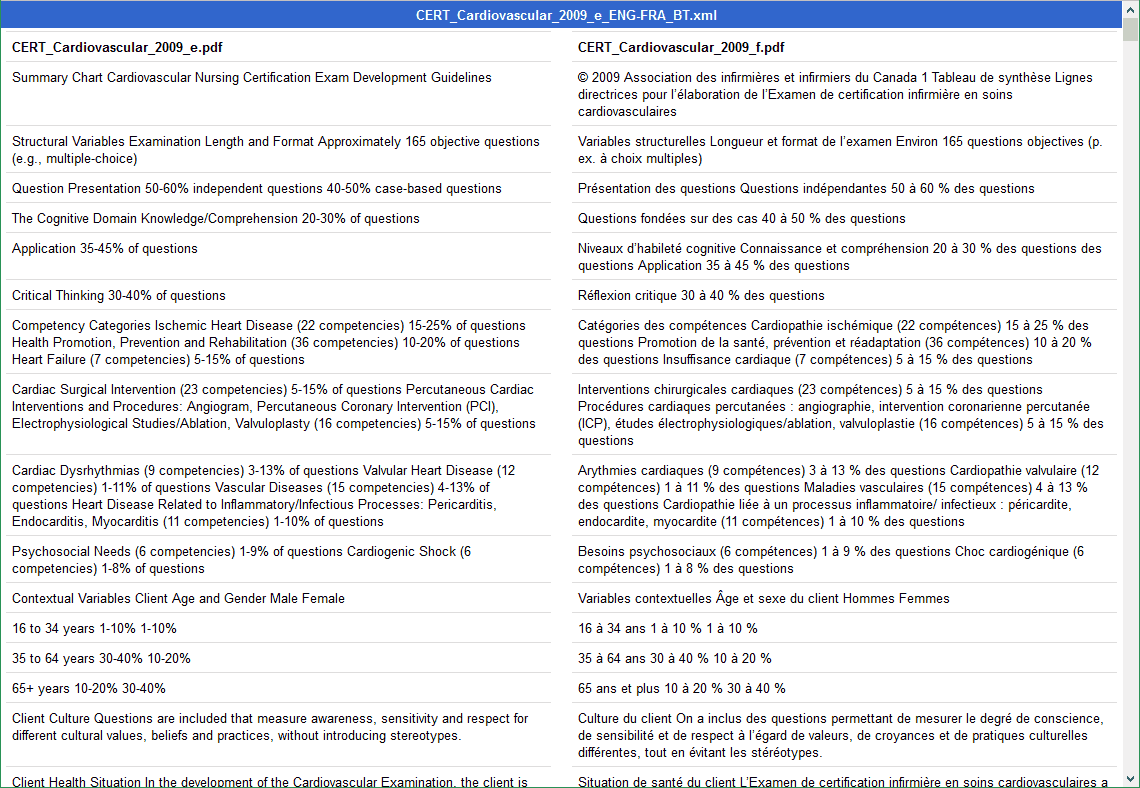
LogiTerm lets you align a wide variety of file types—including PDF—and immediately use the resulting bitexts as references when pretranslating documents. Only need to align part of a web page? Use the align text portions tool. Simply drag and drop the text you wish to align into the boxes that correspond to your language pair.

Alignment editor

The editor enables you to easily correct the alignment of segments and text in the bitext or TMX files.

Terminology database

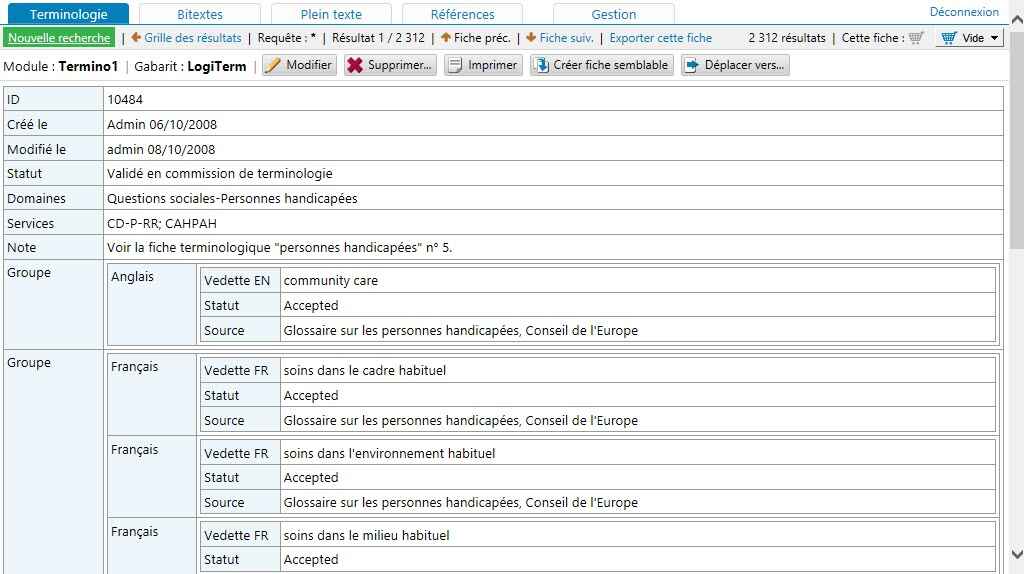
  • In addition to offering a fully customizable term record template, LogiTerm allows you to create an unlimited number of input and display configurations and assign them to different user groups.
  • No time to create records? The program’s autofill function lets you convert bitext search results into complete terminology records in seconds.
  • The terminology cart allows you to easily delete or change the location of terminology records in batches, saving you time.
  • You can also assign special user privileges to your remote collaborators, allowing them to create term records via LogiTermweb access, according to the access privileges you have granted.

Term extraction

LogiTerm’s term extraction engine uses advanced syntactic algorithms to extract terms that appear frequently in one or more documents.

Term record creation

With LogiTerm, you can create records from bitext search results, using term extraction data, in MS Word or manually in the terminology database.

Translation spotting

When you search for a term in the bitexts database, LogiTerm will highlight its target-language equivalent in the search results.

Deformatting

Convert any file format into plain text. You can also merge multiple documents to create a single file. Did a client send you a file format you don’t have the software to open? Deformat it!

Data conversion

Import or export translation memories in TMX or bitext format and import or export glossaries from Excel, MS Word and more.

Management

Customize access privileges for different accounts and user groups.

LogiTerm toolbar

The LogiTerm toolbar can be purchased separately and is easy to install in MS Word. It allows external collaborators who don’t have LogiTerm to access your bitext and terminology matches when working on documents that you have pretranslated with LogiTerm.

Supported file formats

LogiTerm is compatible with over 100 file types, including PDF, Word, Excel, PowerPoint, HTML and XML.

Supported languages

LogiTerm supports any language covered by the Unicode standard.

Concurrent licence system

Licences for LogiTerm Web are not assigned to individual computers, but rather to users logged in to the server. In other words, you can own 10 licences and install LogiTerm Web on 100 workstations. However, only 10 people will be able to use the software at the same time.

Comparison table

Full-service translation software for organizations and language service providers
Desktop version for self-employed translators

Produits #1

Produit ajouté au panier avec succès !